> For the complete documentation index, see [llms.txt](https://wincl-1.gitbook.io/wincl_monitoring/llms.txt). Markdown versions of documentation pages are available by appending `.md` to page URLs; this page is available as [Markdown](https://wincl-1.gitbook.io/wincl_monitoring/wincl-monitoring-user-guide/wincl_monitoring/scope-1-and-2/scope1-2/stationary.md).
# Stationay Combustion
***
## 1. Emission Sources
Register facilities that consume liquid, gaseous, or solid fuel.
{% hint style="info" %}
Support **City gas API**.\
If you wish to retrieve data through the API, please review the [`information below`](#id-1-3_lng) and provide the required details.
{% endhint %}
### 1) Add Facility
Click **‘Add Facility’** at the center of the screen.
### 2) Detailed Information
Enter detailed information of the facility.
{% columns %}
{% column %}
{% endcolumn %}
{% column %}
* `Required` **Management Number**\
Enter the management number assigned to the facility by the company according to internal regulations or convenience.
* `Required` **Facility Name**\
Enter the name of the facility that has assigned a management number by the company according to internal regulations or convenience.
* `Required` **Select Fuel**\
Select the energy source used to operate the facility.
* `Optional` **Note**\
Enter any text for the management convenience.
* `Required` **Installation Date**\
Select the installation date of the facility used by the company. Emission data can be entered from this installation date.
* `Optional` **Closure Date**\
Select the closure date of the facility used by the company. Emission data cannot be entered after this closure date.
* `Optional` **Data Entry Manager**\
Assign a data entry manager from the registered users. If a manager is selected, only the manager can modify the data. If not assigned, all registered users can modify the data.
{% endcolumn %}
{% endcolumns %}
### 3) City gas(LNG) Facility
By selecting city gas in ‘Select Fuel’, additional input field will appear to enter further information.\
To automatically enter city gas consumption information via API, all additional input fields are required.\
If entering manually without API, the additional information is not required.
{% columns %}
{% column %}
{% endcolumn %}
{% column %}
Supported city gas companies:
**KO-ONE Energy Service, YESCO, Seoul City Gas, Kiturami Energy, DAERYUN E\&S, Samchully, Inchon City Gas**
After **signing up** on the respective city gas company’s website, please register your **Customer Number, ID, and Password**
{% endcolumn %}
{% endcolumns %}
***
## 2. Emissions Data
Enter the energy consumption and cost for facilities that consume stationary fuel.
### 1) Emissions Data Table
{% columns %}
{% column %}
{% endcolumn %}
{% column %}
The registered emission sources are automatically loaded. To modify the emission source information, navigate to ‘Inventory Management’. By connecting City gas API, the ‘Client Number’ will be entered in the Management Number while the ‘Meter Number’ will be displayed in the facility name.
{% endcolumn %}
{% endcolumns %}
### 2) User-Defined Emission Factor
{% columns %}
{% column %}
{% endcolumn %}
{% column %}
You can calculate emissions by modifying the emission factor.
Emission sources using an user-defined emission factor are marked with ‘•’.
{% endcolumn %}
{% endcolumns %}
### 3) Input Method & Data Entry
{% columns %}
{% column %}
{% endcolumn %}
{% column %}
It is available to switch between ‘Consumption ↔ Cost’ input in stationary combustion. Please note that switching the input method will delete previously entered data.
Enter data according to the selected period.
{% endcolumn %}
{% endcolumns %}
Energy Sources with Switchable Input Method
Below energy sources support both consumption and cost input method.
* Gasoline, Diesel, Kerosene (Indoor), City gas (LPG), City gas (LNG)
### 4) Supporting Document
{% columns %}
{% column %}
{% endcolumn %}
{% column %}
You can attach supporting documents for the entered data. These documents are used for future data verification.
{% endcolumn %}
{% endcolumns %}
### 5) City gas API
{% columns %}
{% column %}
{% endcolumn %}
{% column %}
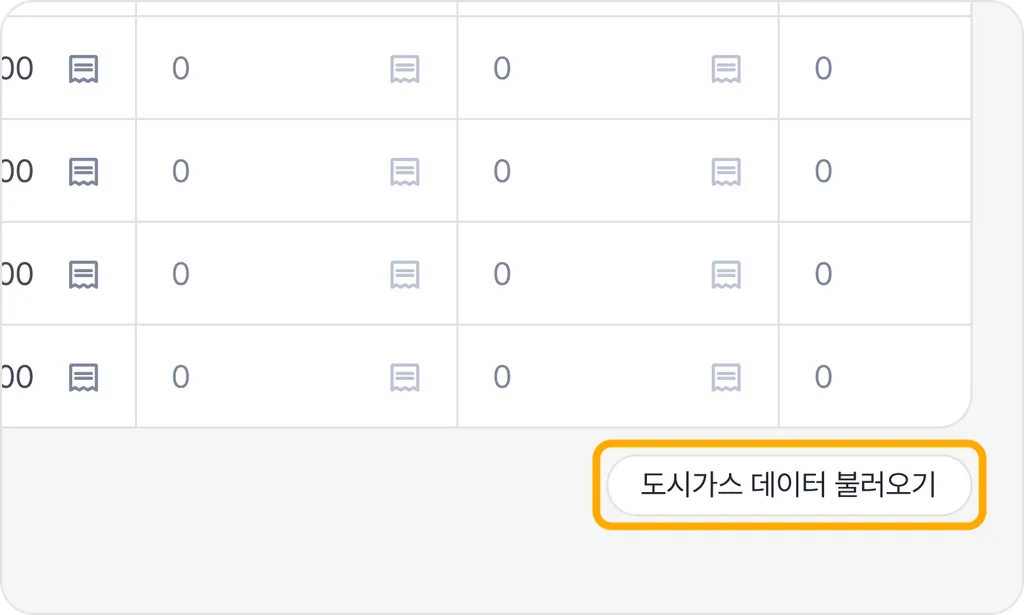
It is available to import city gas data via ‘API’ for stationary combustion. If you do not enter every required information while registering the inventory, data cannot be imported. Please ensure all information is entered.
{% endcolumn %}
{% endcolumns %}